
Desktop Interface and Navigation on tania
When you log into tania on a desktop browser, you're greeted with a full-width dashboard. The left sidebar houses our main menu—sportsbook, live dealers, slots, esports, and account settings. The centre panel displays your current balance, recent activity, and quick-access buttons to deposit or withdraw. The right sidebar shows game information, upcoming fixtures, and promotional banners.
Our desktop site is responsive, meaning it adapts to different screen sizes, but it truly shines on a monitor wider than 1200 pixels. At that width, you can open multiple game tables side by side, keep your account dashboard visible while browsing markets, and read full match previews without scrolling. Many of our members in Jakarta, Surabaya, Bandung, Medan, and Semarang use the desktop site during evening hours when they have time to focus on longer sessions.
Navigation on tania desktop is straightforward. All major sections—football markets, live-dealer games, number draws, and esports tournaments—are one click away from the main menu. Search functionality lets you find specific matches or games by name or date. Your account settings, transaction history, and bonus status are always accessible from the top-right corner of the screen.


Sportsbook and Live Markets on Desktop
Our desktop sportsbook on tania displays football markets in a traditional grid format. You'll see Liga 1 matches, Piala AFF tournaments, Champions League fixtures, and international events all listed with their odds, match times, and current betting volume. The desktop layout lets you compare multiple matches at once without scrolling, making it easier to spot value or plan a multi-match strategy.
Live betting on tania desktop is particularly smooth. As a match progresses, odds update in real time, and you can place bets directly from the match preview without navigating to a separate betting slip. Your bet history is logged instantly, and you can track your open bets in a dedicated panel on the right side of the screen.
Beyond football, our desktop site gives you full access to esports markets—Mobile Legends, Free Fire, and PUBG Mobile tournaments are displayed with the same clarity as traditional sports. You can filter by league, team, or upcoming event, and set alerts so you're notified when a match you're interested in is about to start.
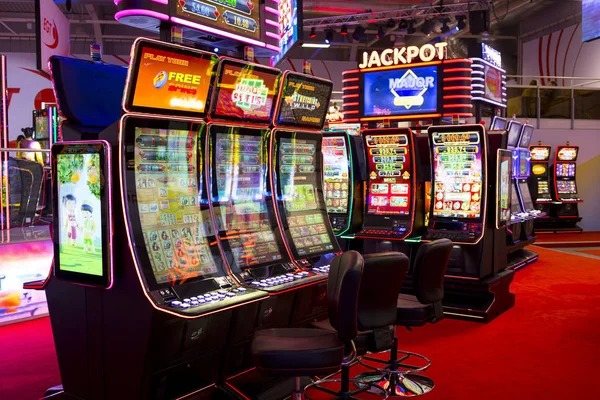
Desktop players on tania often report that the wider view helps them make more deliberate decisions—they can see more context, compare odds across multiple matches, and plan their session without rushing.
Live-Dealer Tables and Slot Games on Desktop
Our live-dealer studios—blackjack, roulette, baccarat, and Dragon Tiger—stream in full HD on the tania desktop site. The video feed takes up the centre of your screen, with betting controls and chat functions positioned below. This layout gives you a clear view of the dealer and the game action without cramped controls or overlapping elements.
Slot games on tania desktop display in a grid gallery. You can browse by game name, provider, or recent popularity. When you select a slot—Aviator, Sweet Bonanza, Gates of Olympus, Fortune Tiger, or Mahjong Ways—it opens in full-screen mode with all controls easily accessible. Your balance updates instantly after each spin, and your session history is saved automatically.
One advantage of desktop play is that you can keep your account dashboard open in a separate browser tab or window. This lets you monitor your balance, check your weekly cashback progress, or review your tier status without interrupting your game session. Many members use this setup to stay aware of their spending and bonus eligibility in real time.
Key takeaways
- tania desktop site offers full-width layout optimised for monitors 1200px and wider
- All promotions, bonuses, and account features work identically on desktop and mobile
- Live-dealer streams display in HD with controls positioned for easy access
- Sportsbook grid layout lets you compare multiple matches and odds at once
- Multi-window browsing lets you monitor your account while playing
Promotions and Cashback on Desktop
Your welcome offer, weekly cashback, and reload promotions on tania are not device-specific—they apply to your entire account, whether you're playing on desktop or mobile. However, the desktop site makes it easier to track your progress. Your cashback calculation is displayed in a dedicated widget on your dashboard, updated every Monday morning. You can see exactly how much you've earned and when it will be credited.
Tier progression on tania is also visible on desktop. Your current tier, points toward the next tier, and the benefits you've unlocked are all shown in your account settings. This transparency helps you understand how your play translates into rewards. As you accumulate points through deposits and wagers, you'll see your tier status update in real time.
Seasonal promotions—enhanced cashback during Idul Fitri, Idul Adha, or major Liga 1 tournaments—are announced via email and displayed prominently on your desktop dashboard. You can click through to see the full terms, eligibility requirements, and how to claim each offer. All promotional terms are the same across devices; the desktop interface simply gives you more space to read and understand them.
- Playthrough requirement
- The number of times you must wager a bonus before it converts to real funds. On tania, this is typically 5x to 10x the bonus amount, depending on the promotion.
- Weekly cashback
- A percentage of your net losses returned to your account every Monday. The rate depends on your membership tier on tania.
- Tier recalculation
- Your membership tier on tania is reviewed monthly based on your activity. Higher tiers unlock better cashback rates and exclusive promotions.
Deposit and Withdrawal on Desktop
Funding your tania account from desktop is identical to mobile. Navigate to the Deposit section, select your payment method—DANA, e-wallet, mobile banking, local payment, online payment, e-wallet, mobile banking, local payment, online payment, or e-wallet—and enter your amount. The desktop interface displays all available payment options in a clear list, making it easy to choose the method that suits you best.
Withdrawals on tania desktop follow the same process. Go to the Withdrawal section, select your preferred payment method, enter the amount, and submit. Your request is processed subject to verification—we may ask for additional identity confirmation to prevent fraud. This verification window is standard across the industry and protects your account security.
Your transaction history on tania desktop is comprehensive. You can filter by date, payment method, or transaction type (deposit, withdrawal, bonus credit, cashback). Export your history as a CSV file for personal record-keeping. This transparency is especially useful during tax season or if you need to verify your account activity for any reason.
Account Verification and Security on Desktop
When you first open a tania account, you'll complete our verification process on desktop or mobile—it doesn't matter which. You'll provide your personal details, upload identity documents, and confirm your contact information. Once verified, your account is active on both platforms simultaneously. There's no need to verify separately for desktop.
Security on tania desktop is handled through standard HTTPS encryption and two-factor authentication (optional but recommended). You can enable 2FA in your account settings to add an extra layer of protection. If you ever suspect unauthorised access, you can change your password or contact our support team immediately.
Our services are available only where local law permits. Users are responsible for verifying that their access and use of tania comply with their own jurisdiction's regulations. If you're accessing tania from Jakarta, Surabaya, Bandung, Medan, or Semarang, ensure you understand the local legal framework before you play.
Desktop advantages
- Full-width layout for better visibility
- Multi-window browsing capability
- HD live-dealer streams with clear controls
- Easier comparison of multiple markets
Considerations
- Requires a computer or large monitor
- Less portable than mobile app
- Browser compatibility varies by device